About a year ago, we shifted Cube's focus from the universal semantic layer to agentic analytics. The semantic layer remained the foundation, but delivering an agentic analytics platform required an agentic analytics harness around it.
The harness is the code and operating rules around the model. It determines what enters context, which tools the model can call, what survives between runs, how results are checked, and which actions are allowed.
Over the past year, most of our work went into the harness. Model capabilities advanced quickly, and our job was to turn those capabilities into reliable behavior in a production analytics environment. We kept refining the system as it met real data models, workflows, and permission boundaries.
Below are five lessons from building and operating that system in production.
SQL gives the agent room to explore
An analytics agent needs a query language that can express questions we didn't model in advance. A rigid JSON query format works well when a UI already knows which dimensions, measures, and filters it needs. An agent explores differently: it tries a query, studies the result, and often derives the next calculation as it goes.
SQL is the natural interface for that work. Models already understand it, and it can express much more than a fixed dashboard API. But letting an agent write arbitrary warehouse SQL would put metric definitions, joins, and permission logic back in the prompt, where none of them can be enforced reliably.
Cube's answer is Semantic SQL. The agent writes SQL against governed views and can compose calculations from measures that already exist in the semantic layer:
The model doesn't need a predefined revenue_per_order measure. Cube resolves the two governed measures at the correct aggregation level, applies the caller's access rules, and pushes one calculation to the warehouse. The agent gets flexibility without calculating over raw intermediate rows in its context window.
A tool has to explain what happened
The model sees a tool through three things: its description, its parameters, and its return value. Small ambiguities in any of them turn into repeated bad calls, with each error consuming more context.
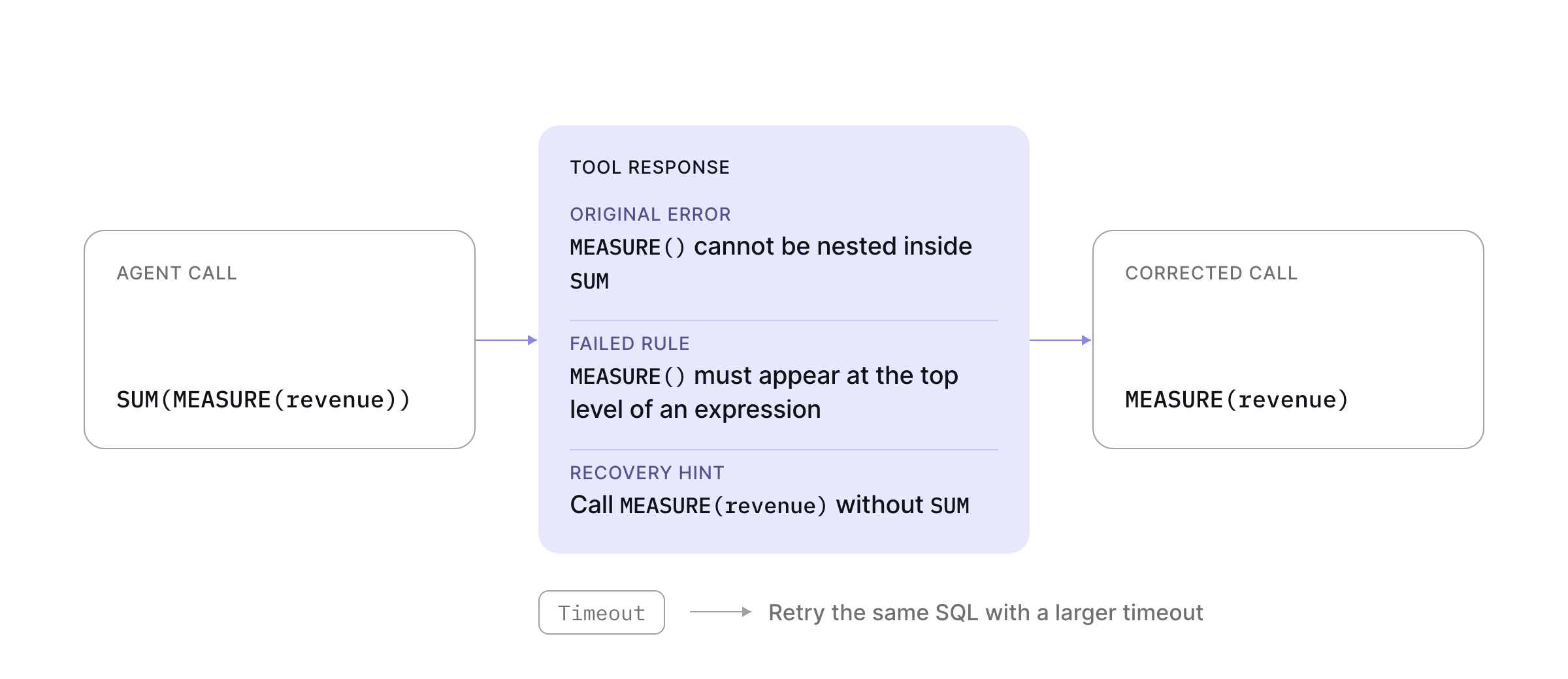
We spent a surprising amount of time on the difference between a tool that merely reports failure and one that helps the model recover. Cube checks Semantic SQL for constructions we know are invalid before execution. For example, the linter rejects SUM(MEASURE(revenue)) and tells the model that MEASURE() cannot be nested inside an aggregate.
Runtime failures return targeted recovery hints. When a parser error comes from using position as an unquoted identifier, the response tells the model to retry with "position". When a query times out, the tool tells it to retry the same SQL with a larger timeout.
Success responses need the same care. A query that ran but failed to save is not a successful edit. Zero rows do not necessarily mean the analysis is complete. A partial result should say exactly what was omitted and how to fetch it. These distinctions give the model enough information to choose its next tool call without guessing at state that lives outside the conversation.
Context is a budget
Context includes the system prompt, tool definitions, conversation history, and every tool result. A request can fit inside the model's context window while still containing too much material for the model to use consistently.
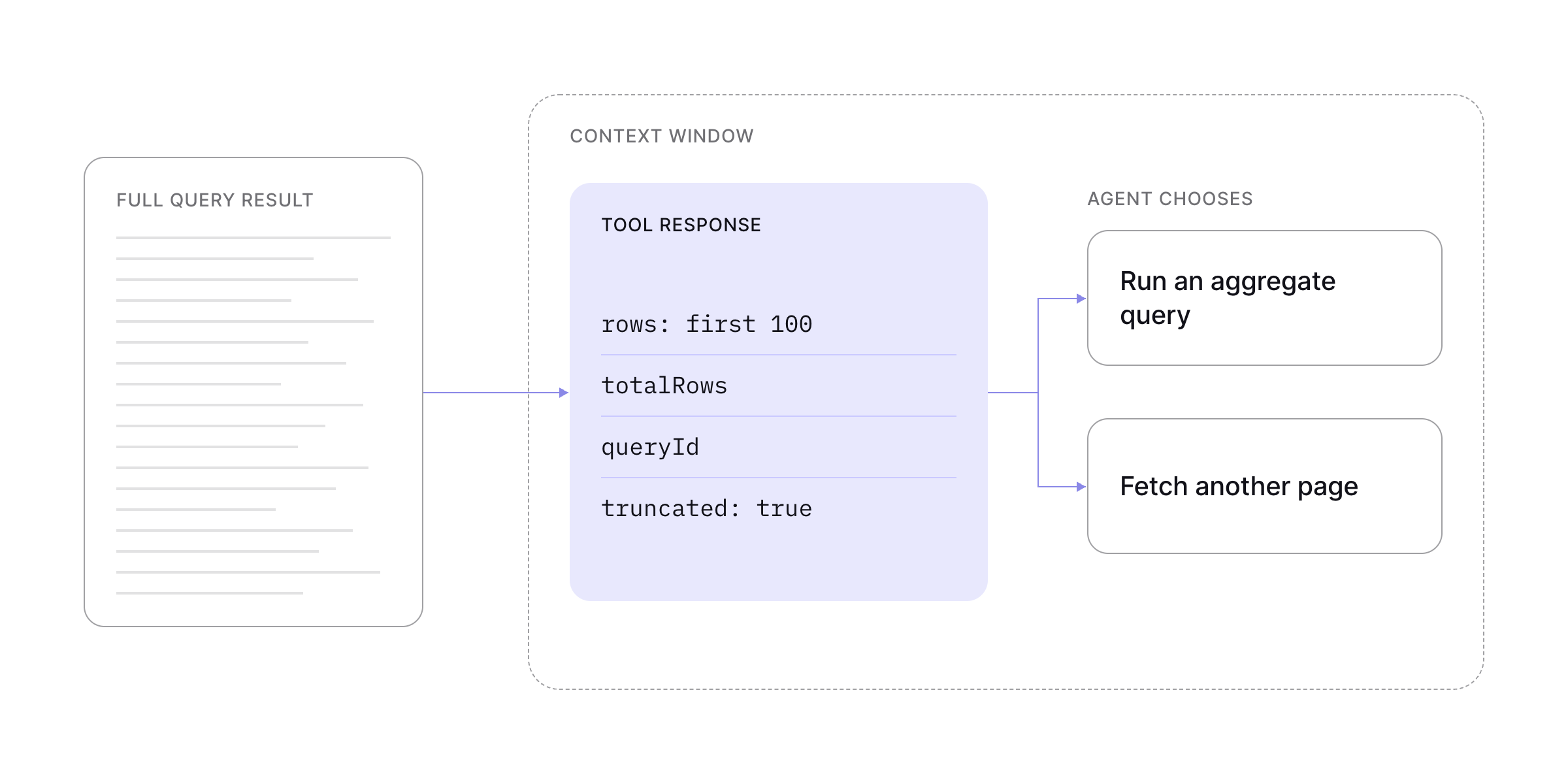
Query results made this problem concrete for us. A query can return millions of rows when the answer needs ten. Cube returns the first 100 rows, the total row count, and a query ID that the agent can use to fetch another page. The response also states that it is truncated. Without that notice, an agent can calculate a total or ranking from a sample and present it as the full result.
We use separate agents for work such as building dashboards or workbooks and changing the data model, which keeps the main thread from carrying every intermediate step. Work that must survive a session is written to a durable artifact. Data model changes live on a development branch as commits that another run can load, review, and continue.
Business context has more than one shape
We started with the semantic layer because it provides the executable part of the context: measures, dimensions, joins, and access policies that Cube applies when it compiles a query. That foundation is necessary, but it doesn't contain every rule the agent needs to interpret a business question.
Some context is structured metadata inside the semantic model. Some is free-form Markdown explaining how the business works. Certified queries provide approved examples. MCP Connectors retrieve relevant company knowledge from connected docs and wikis. Memory brings back a correction or decision from an earlier run when it applies again.
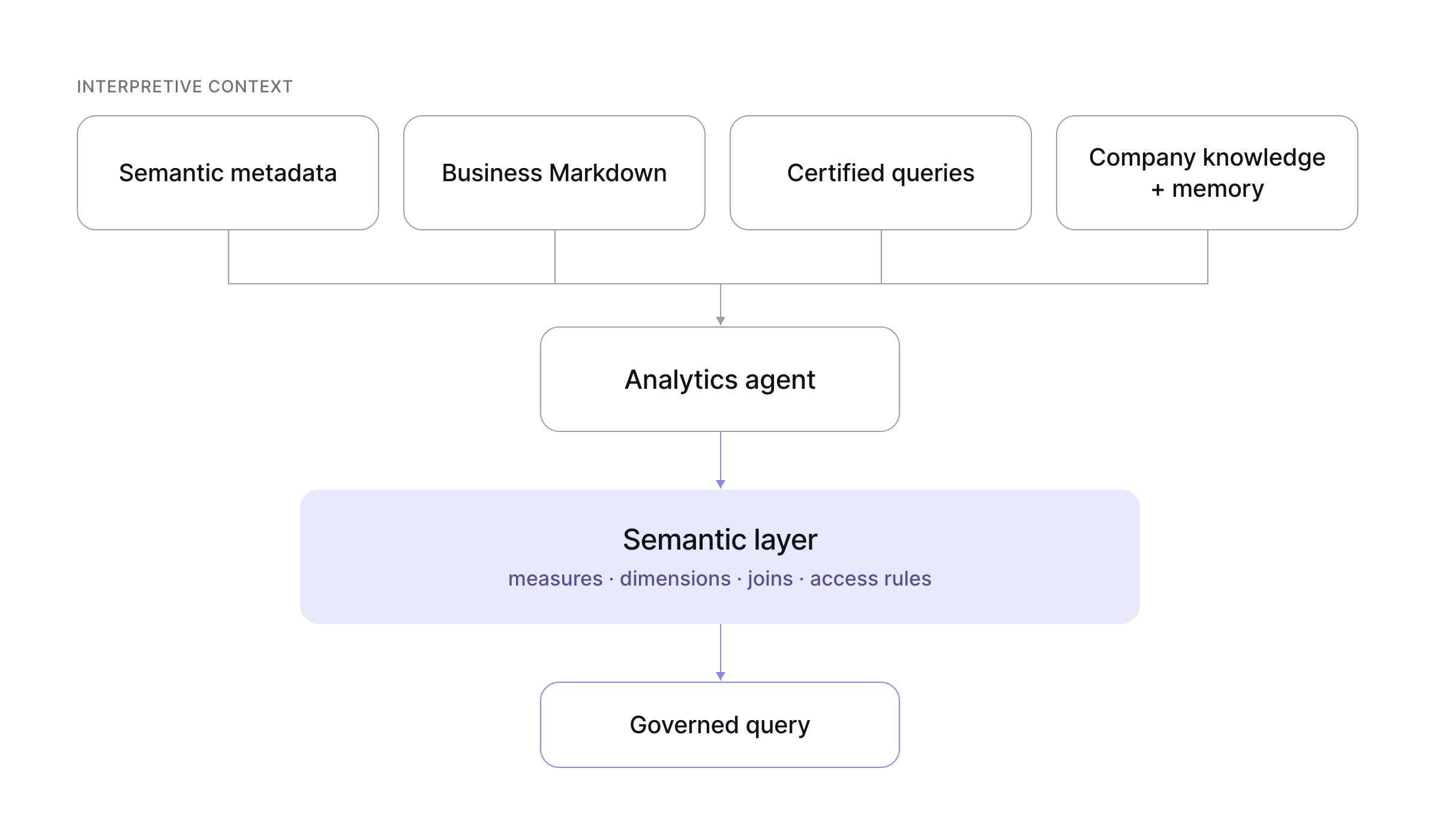
We keep these as separate artifacts because they have different owners, lifecycles, and loading rules. A fiscal-calendar rule may belong in every request. A certified query should load only when the question matches it. A prior correction can be useful for one team and misleading for another if its scope isn't clear.
This is the distinction I described in The Context Layer Needs a Semantic Layer. The semantic layer applies definitions and permissions during query compilation. The surrounding context helps the agent choose a measure, interpret the request, and explain the result.
Search the semantic model when the agent needs it
Preloading the entire semantic model spends context before the agent knows what it needs. It can also expose members the caller cannot query and become stale as soon as a new model version is deployed.
Cube searches the semantic model on demand instead. searchDataModel refreshes and searches in the same call, filters candidates against the caller's access, and returns compact records for the most likely measures and dimensions. The agent sees a small, current set of choices rather than a static dump of the model.
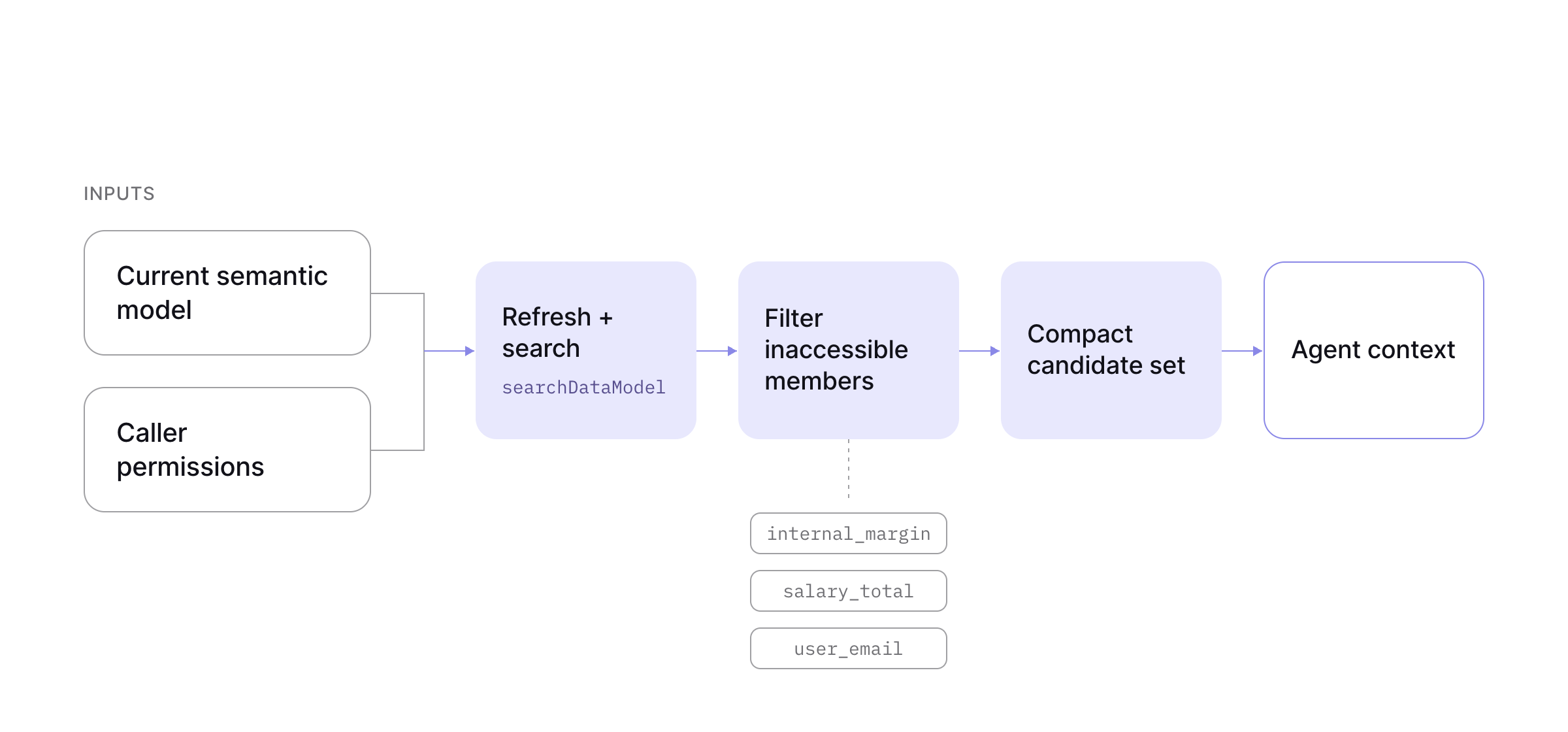
Refreshing on read adds work to every search. We accept that cost because stale search often fails quietly: the agent can miss a new measure or select one that was removed while still producing a plausible-looking answer.
Similarity search narrows the candidate set. Choosing among closely related measures also depends on semantic metadata and lineage: the context that explains which measure filters for active accounts and how each metric is composed.
We've documented the broader framework in 8 design principles for building the agentic analytics harness. The guide covers the implementation details, architectural choices, and diagrams behind each principle.